How to get reminded a day and an hour before
One reminder at the exact time is often too late. For a dentist appointment you want to know the day before, so you can plan, and again an hour before, so you leave on time. Remindio calls these pre-reminders: early alerts attached to a reminder, as many as you need.
Short answer. Open a reminder in Remindio, tap Pre-reminder and pick 1 day. Tap Add and pick 1 hour. Each pre-reminder can be a notification or an alarm, and they move with the reminder if you change its time.
On Android
- Tap Add, type the reminder (for example, Dentist appointment) and set its date and time.
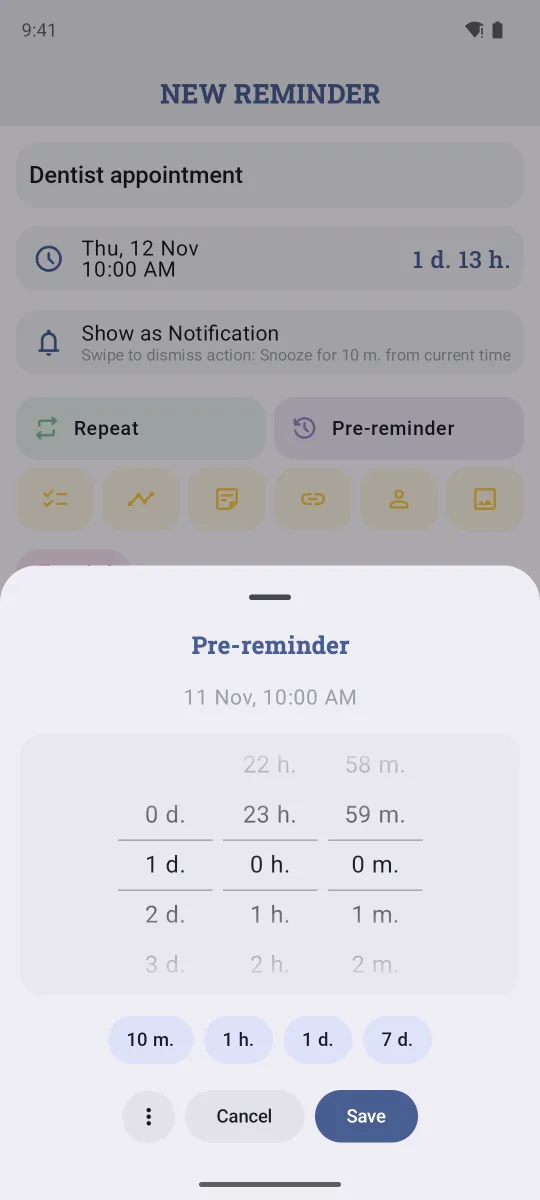
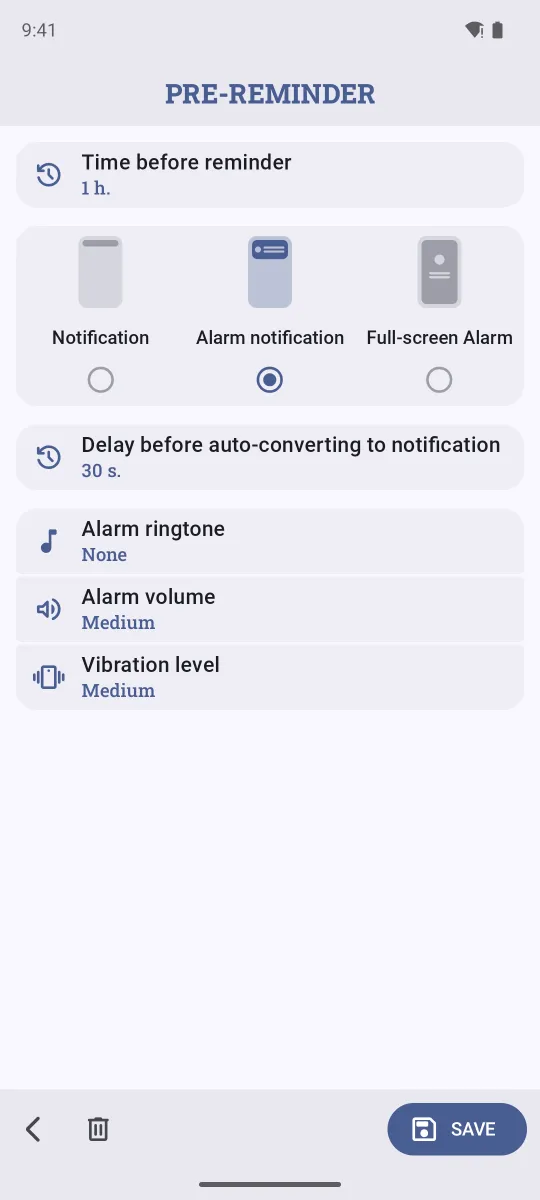
- Tap Pre-reminder. Pick how early with the wheels, or tap a preset: 10 m., 1 h., 1 d. or 7 d. The exact time of the alert is shown at the top. Tap Save.
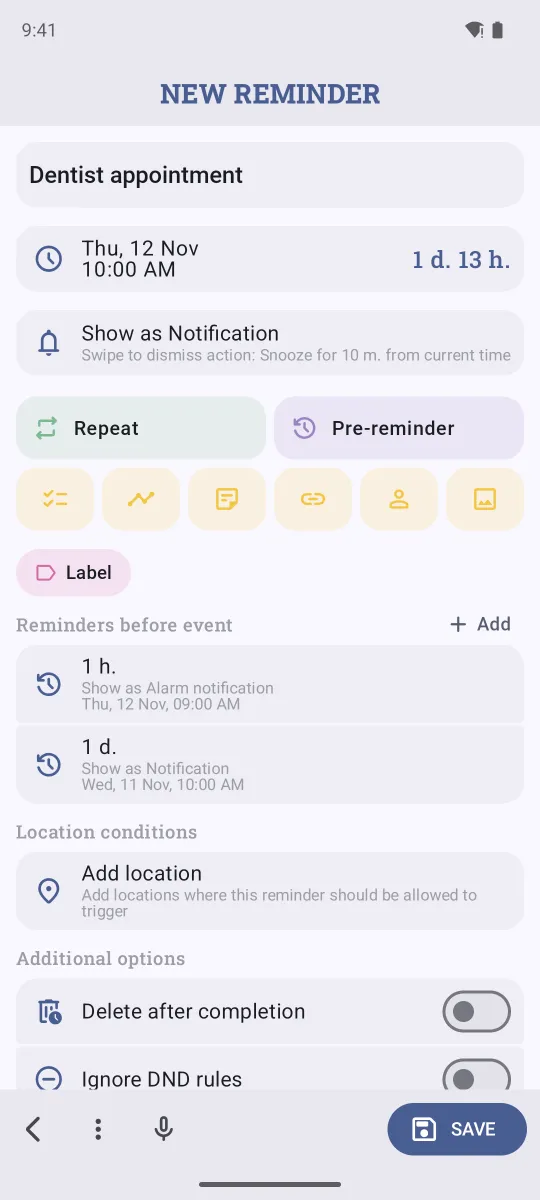
- Under Reminders before event, tap Add to add another one, for example 1 hour before.
- Tap Save. Each pre-reminder shows its own date and time, so you can check them at a glance.
On iPhone
- Tap +, type the reminder and set Date & Time.
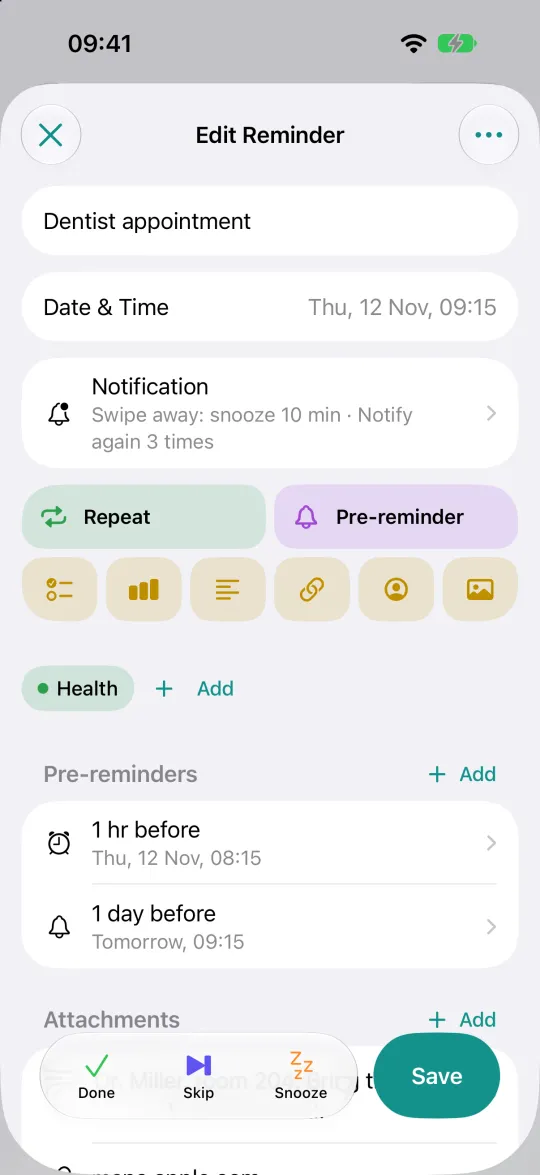
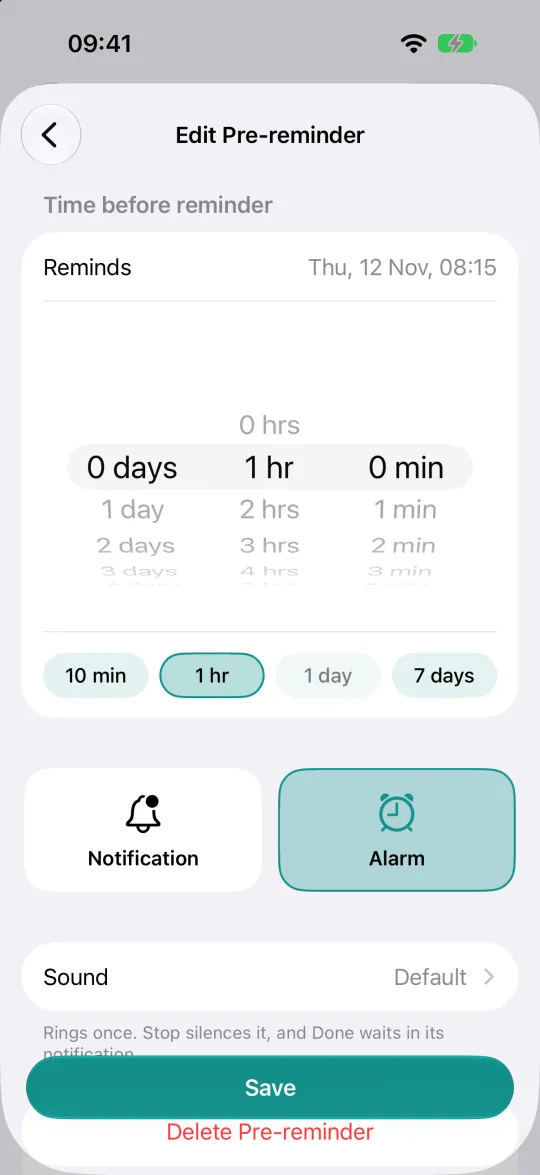
- Tap Pre-reminder and pick how early: 10 min, 1 hr, 1 day, 7 days, or any time with the wheels. Tap Save.
- To add one more, tap Add next to Pre-reminders.
- Tap Save on the reminder.
Notification or alarm?
Tap a pre-reminder to choose how it alerts you.
- Notification is a quiet heads-up. Good for "tomorrow you have the dentist".
- Alarm rings even if you're not looking at your phone. Good for "leave now". On Android you can pick an Alarm notification or a Full-screen Alarm with your own ringtone. On iPhone with iOS 26 or newer, it rings like the Clock app.
A common setup is a notification the day before and an alarm an hour before.
What about the built-in apps?
Google Calendar and Apple Calendar let you add more than one notification to an event, so they can do "a day and an hour before" too. Apple Reminders offers an Early Reminder. The difference is that these are all regular notifications: none of them can ring like an alarm, which is what you want for the one that can't be missed. Remindio also works with repeating reminders, so every repeat gets its own pre-reminders automatically.
FAQ
How many pre-reminders can one reminder have?
One pre-reminder per reminder is free. Premium lets you add as many as you like and turn them into alarms, with a free trial or a free day for watching one ad.
Do pre-reminders work with repeating reminders?
Yes. Every repeat gets the same pre-reminders, counted back from that repeat's time.
What happens if I change the reminder's time?
The pre-reminders move with it, because they're stored as "1 day before", not as a fixed date.
A pre-reminder didn't arrive. What can I do?
On Android, battery saving is the usual cause. See how to fix late notifications. On iPhone, check that notifications for Remindio are on and that a Focus mode isn't silencing it.
Try Remindio for free
Never be late for an appointment again.