How to set a reminder every 3 days on Android
Watering plants, changing a bandage, cleaning the cat's litter box, taking out the recycling: plenty of tasks come around every few days, not every day or every week. Android has no "every 3 days" button in the Clock app, but there are a few easy ways to set one up.
Short answer. In Google Calendar, create an event, tap Does not repeat → Custom and set it to repeat every 3 days. In Remindio, tap Add → Repeat → Daily, set Interval to Every 3 days and save. Remindio can also count the 3 days from when you actually did the task, and ring like an alarm.
Option 1: Google Calendar or Google Tasks
Both apps come preinstalled on most Android phones and both support custom repeats.
Google Calendar
- Tap + → Event and enter a title.
- Set the date and time of the first reminder.
- Tap Does not repeat → Custom…
- Set Repeats every to 3 days, tap Done and save the event.
Google Tasks
- Create a task and tap the date to add a date and time.
- Tap Repeat, set it to every 3 days and tap Done.
This works well for simple cases. Keep in mind:
- You get a regular notification. If your phone is on silent or the notification gets buried, the reminder is easy to miss.
- The schedule is fixed. If you water the plants a day late, the next reminder still comes on the original date, not 3 days after you actually did it.
Option 2: Remindio, step by step
Remindio is a free reminder app built for repeating tasks. Here's the same reminder in it:
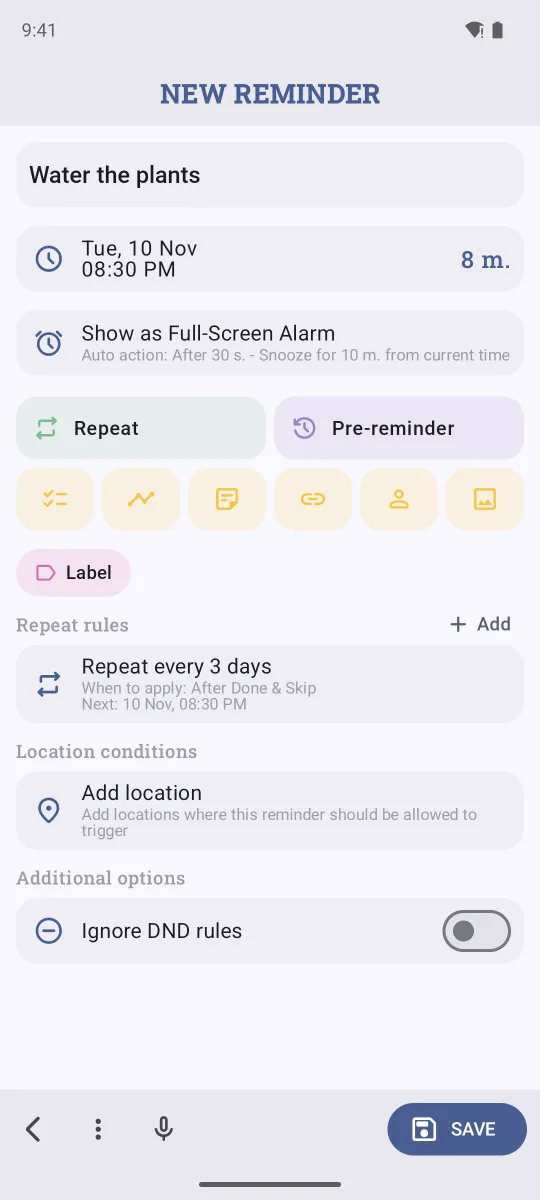
- Tap Add, type the reminder text (for example, Water the plants) and pick the date and time of the first reminder.
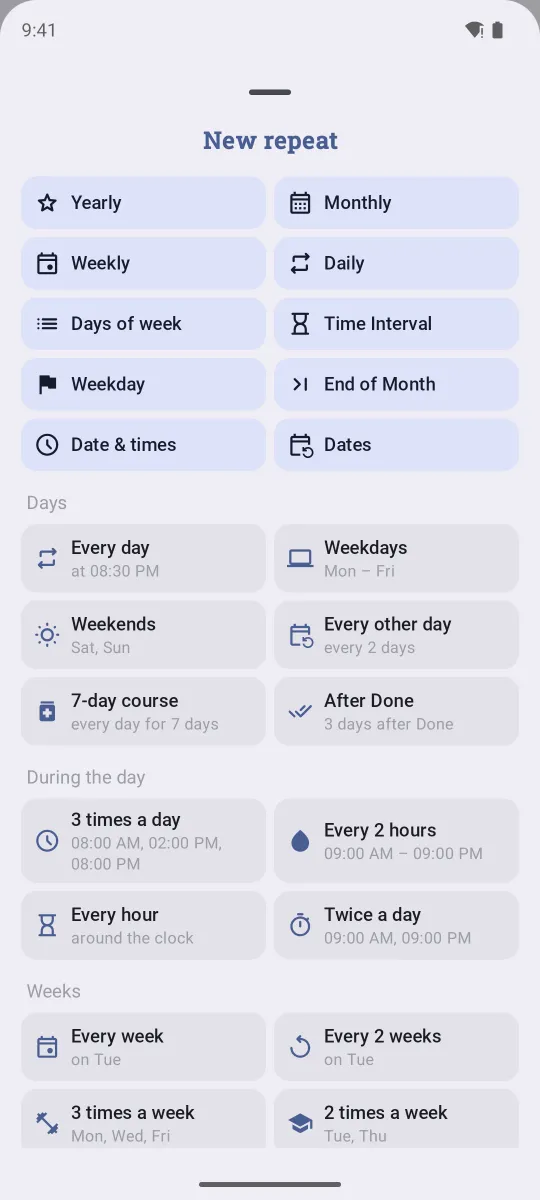
- Tap Repeat. You'll see repeat types and ready-made repeats. Pick Daily. (For every 2 days there's a ready-made Every other day.)
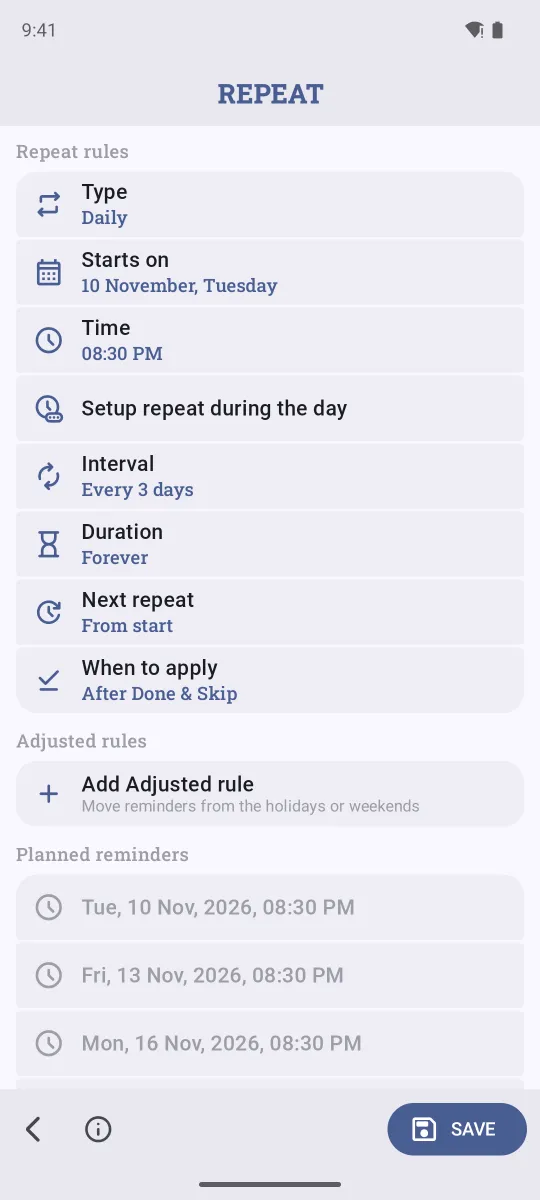
- Tap Interval, enter 3 and tap OK. It now says Every 3 days.
- Check Planned reminders at the bottom: it lists the next dates, so you can see the schedule is right before saving.
- Tap Save on the repeat, then Save on the reminder.
Every 3 days from the start, or 3 days after you're done?
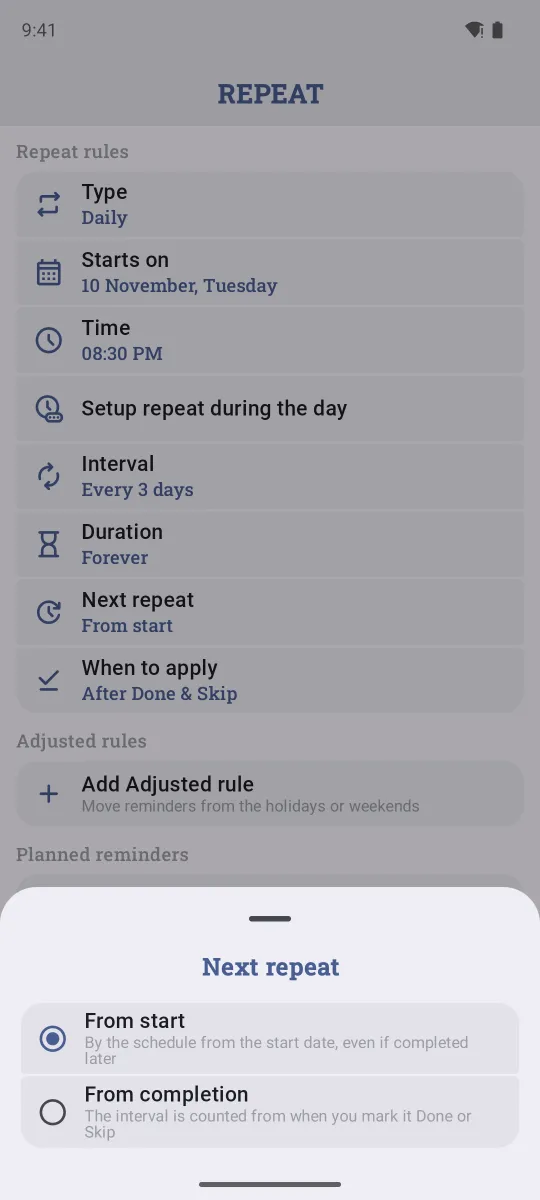
This is where the two kinds of "every 3 days" differ. In the repeat settings, tap Next repeat:
- From start keeps a fixed schedule from the start date, even if you complete a reminder late. Good for things tied to the calendar, like a shared cleaning rota.
- From completion counts 3 days from the moment you tap Done or Skip. Good for watering plants, changing filters or anything where the gap matters more than the date. Water a day late, and the next reminder moves a day later too.
Make it ring like an alarm
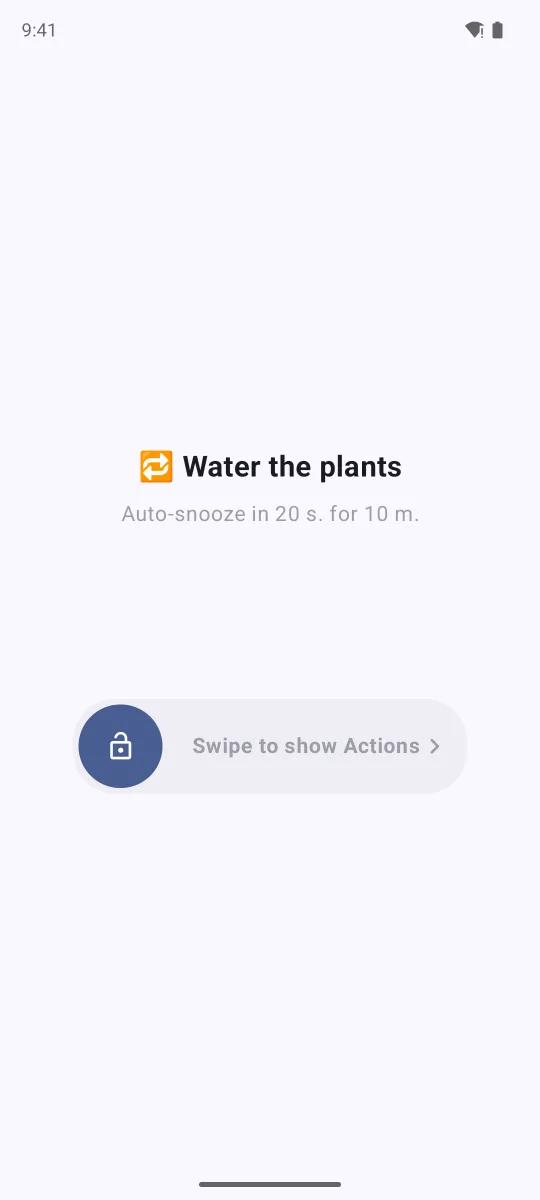
A notification is fine for small things. For anything you really can't miss, tap Show as Notification in the editor and pick Full-screen Alarm. The reminder then rings with sound and vibration over the lock screen until you answer it, and can snooze itself if you don't. Alarms are part of Remindio Premium, which you can try for free.
Check the dates in the calendar
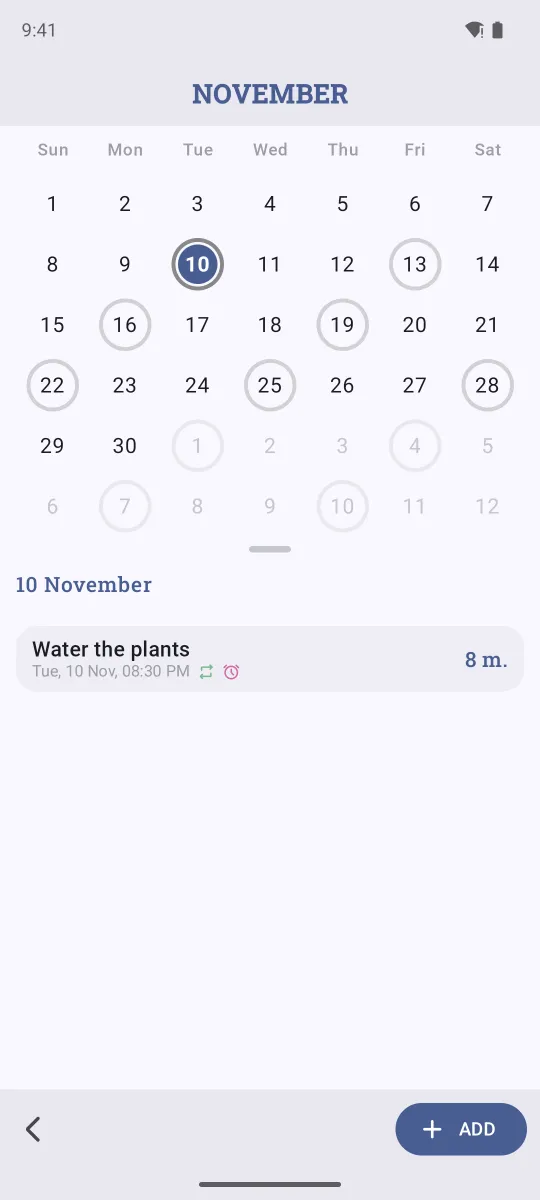
Tap the calendar icon on Remindio's home screen to see the month. Every day the reminder falls on is circled, so you can check at a glance that it lands where you expect.
If reminders arrive late or not at all, Android's battery saving is usually the cause. See how to fix late notifications for Samsung, Xiaomi and other phones.
FAQ
Can a reminder repeat every 3 days only for a while?
Yes. In Remindio, set Duration in the repeat settings to an end date or a number of times, for example 10 times for a course of treatment. Google Calendar has the same choice under Ends in the custom repeat.
Can it skip weekends or public holidays?
In Remindio, yes: tap Add Adjusted rule in the repeat settings to move reminders that fall on a weekend or holiday.
Can I get it several times on the same day?
Yes. Tap Setup repeat during the day in Remindio's repeat settings to add more times, for example 9:00 AM and 9:00 PM every 3 days.
Is Remindio free?
Yes. Repeating reminders are free. Premium adds alarms, several repeat rules per reminder, pre-reminders and more, with a free trial or a free day for watching one ad. There are no banner ads and no account is needed.
Try Remindio for free
Set your every-3-days reminder in under a minute.