How to track a habit with your reminders
A reminder tells you when to do something. A tracker tells you whether you did. In Remindio they live together: add a tracker to a reminder, and each time you answer it, the result is logged. Over days and weeks you get a streak, a goal and a calendar of how it's going, without a separate habit app.
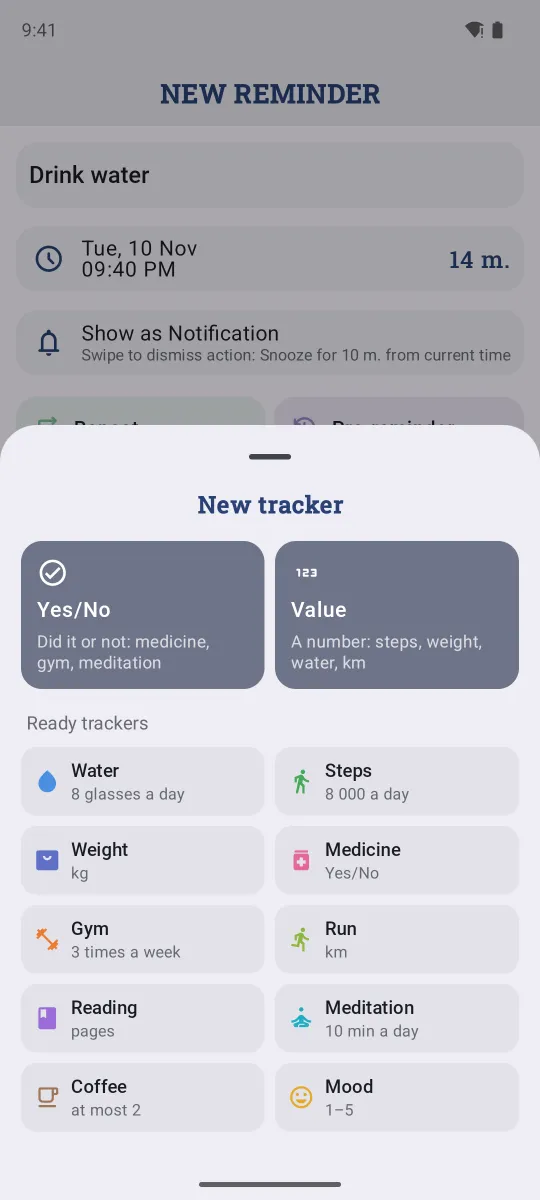
Short answer. In a Remindio reminder, tap the Tracker button and pick a ready tracker (Water, Steps, Weight, Medicine, Gym, Run, Reading, Meditation, Coffee, Mood) or make your own: Yes/No or a Value. Tapping Done on the reminder logs it, and the Trackers tab shows your progress.
Yes/No or a value
- Yes/No is for things you either did or didn't: medicine, the gym, meditation.
- Value is for numbers: glasses of water, steps, weight, kilometres, pages. Choose whether entries add up during the day (water) or the last one counts (weight).
Each tracker can have a goal: at least 8 glasses a day, the gym 3 times a week, at most 2 coffees.
On Android
- Create a reminder, for example Drink water, and tap the Tracker button (the chart icon) in the editor.
- Pick a ready tracker, for example Water, or choose Yes/No or Value to make your own.
- Check the unit, goal and what Done adds (1 glass), then tap Save.
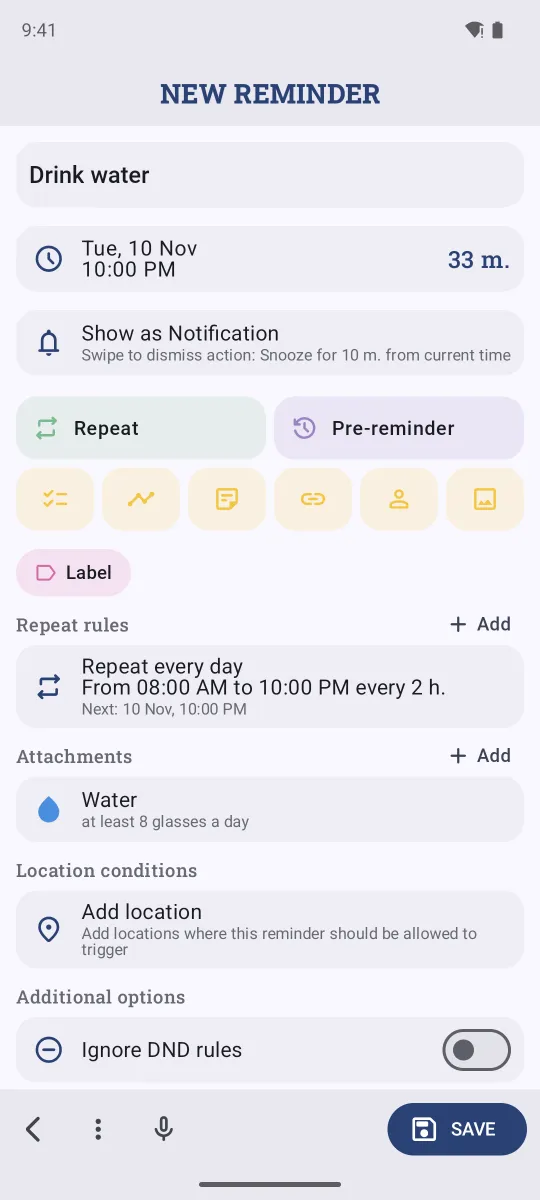
The ready Water tracker also suggests a matching repeat: every 2 hours from 8:00 to 22:00, so each Done adds a glass.
On iPhone
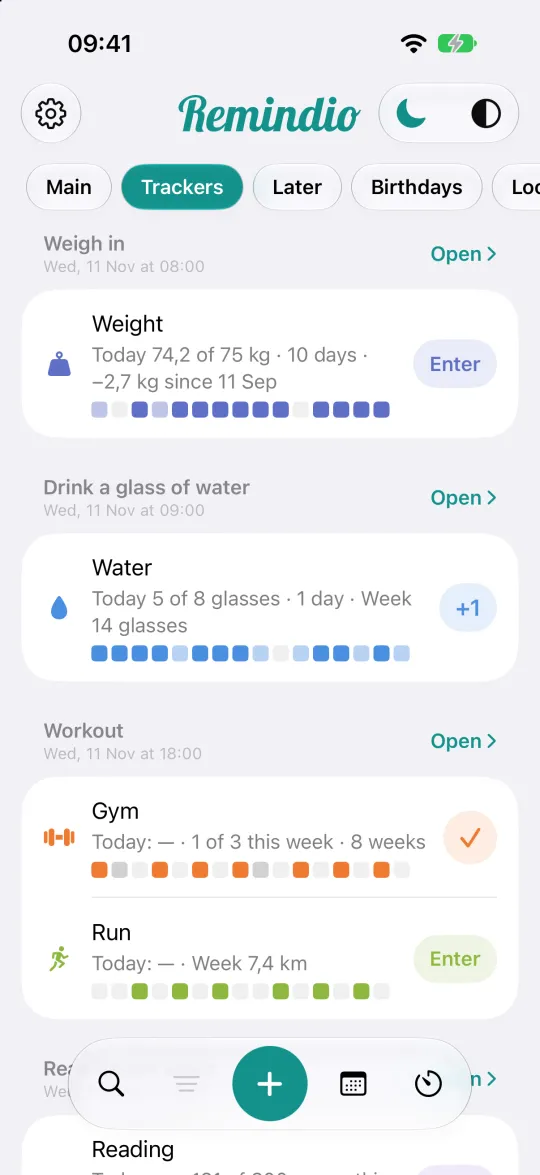
- In a reminder, tap the Tracker button and pick a ready tracker or Yes/No / Value.
- Adjust the goal and tap Save.
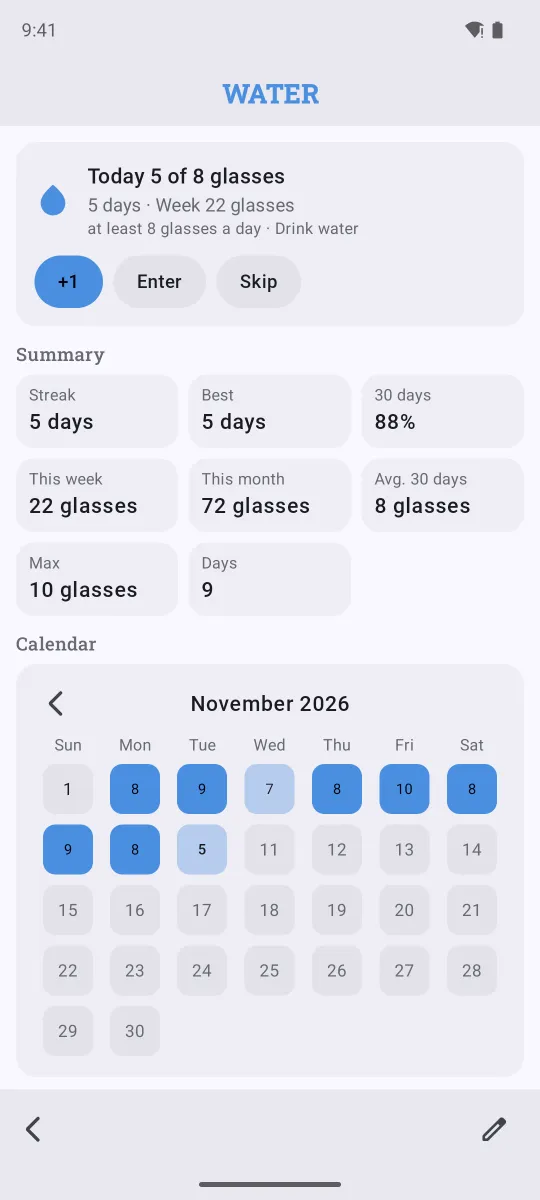
- Open the Trackers tab on the home screen to log entries with +1, Enter or a check mark, without waiting for the reminder.
Streaks and stats
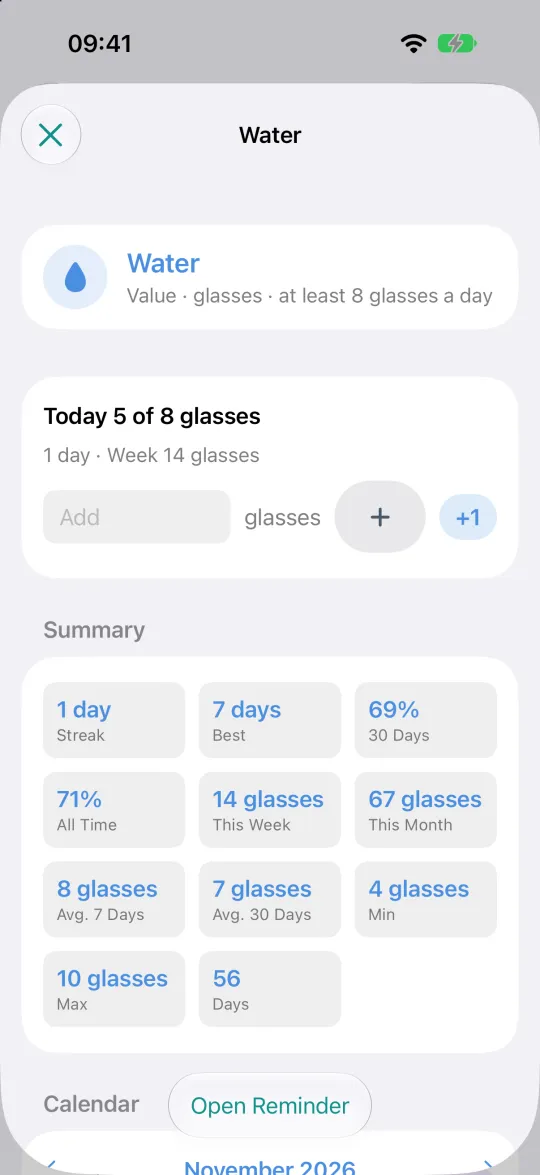
Open a tracker to see:
- Streak and Best: how many days in a row you reached the goal.
- 30 days: how often you reached it recently, in percent.
- This week, This month, averages and maximum.
- A calendar with every day's result. Tap a past day to add or fix an entry you forgot.
FAQ
Can one reminder have several trackers?
Yes. A Workout reminder can track both the gym (yes/no) and the distance you ran (km).
What if I skip a day on purpose?
Tap Skip on the reminder or in the tracker. The day is marked as skipped, so you can tell a planned rest day from a forgotten one.
Can I log without a reminder notification?
Yes. Use the Trackers tab or open the tracker and tap +1 or Enter any time.
Related guides
Try Remindio for free
Free on Android and iPhone. No account needed.