How to set a repeating interval timer
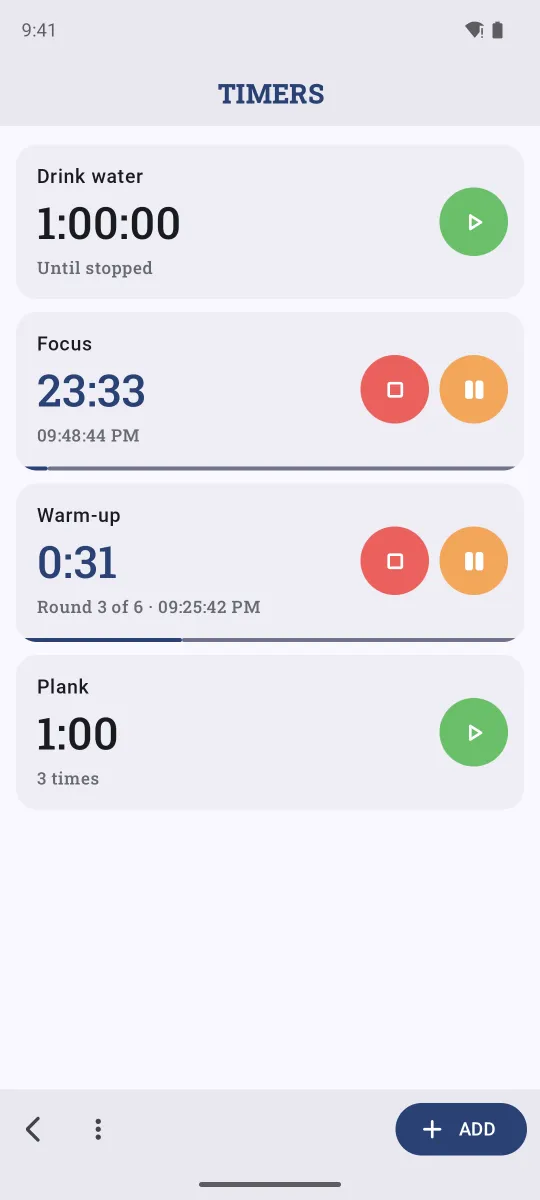
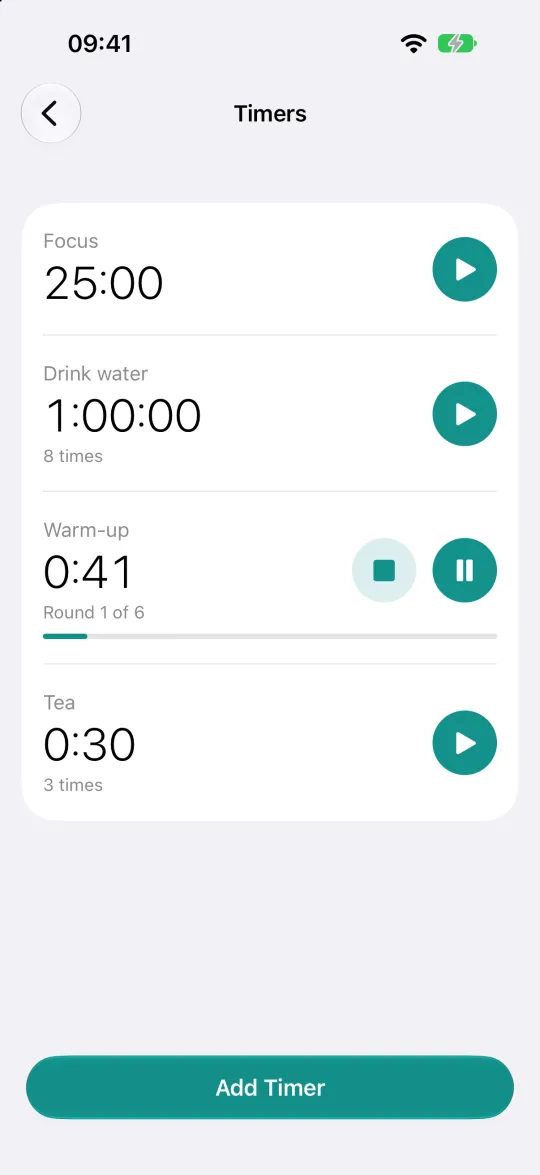
The clock app's timer is fine for boiling an egg. It gets awkward for a plank workout (1 minute, three times), a 25-minute focus session you start every morning, or a glass of water every hour until you stop. Remindio keeps a list of saved timers that can repeat, and several of them can run at the same time.
Short answer. In Remindio, tap the timer button at the bottom of the home screen, then Add. Set the length, give it a title, choose Repeat: once, several times, until a time, or until stopped. Save it once and start it with one tap whenever you need it.
On Android
- On the home screen, tap the timer button at the bottom.
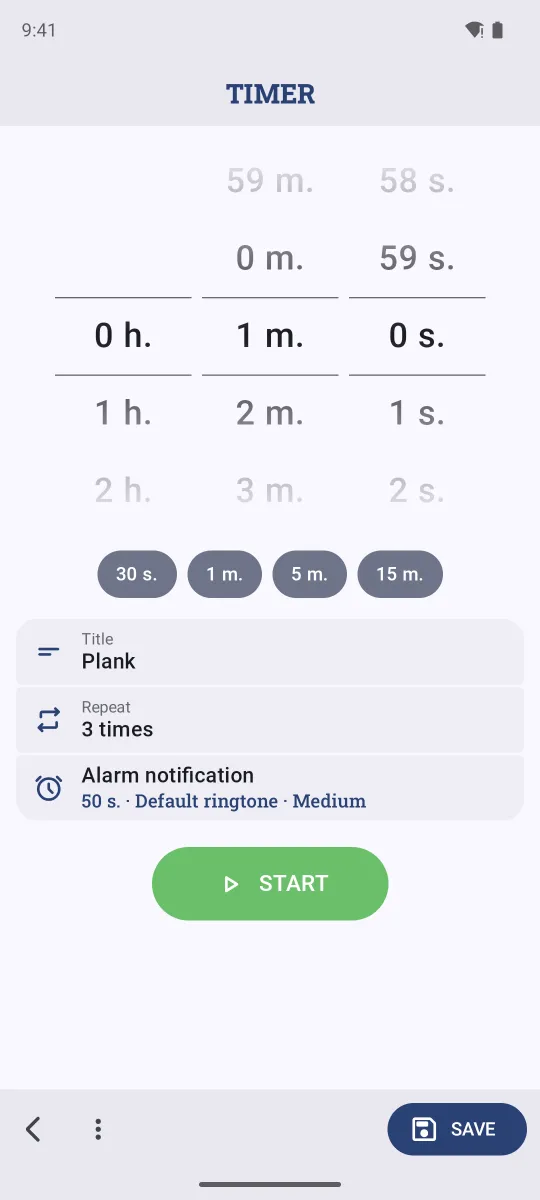
- Tap Add. Set hours, minutes and seconds with the wheels, or tap a preset: 30 s., 1 m., 5 m., 15 m.
- Type a Title, for example Plank.
- Tap Repeat and choose Several times (and how many), Until a time or Until stopped.
- Pick how it alerts you (alarm notification with a ringtone, by default), then tap Start or Save.
On iPhone
- Tap the timer button in the bar at the bottom of the home screen.
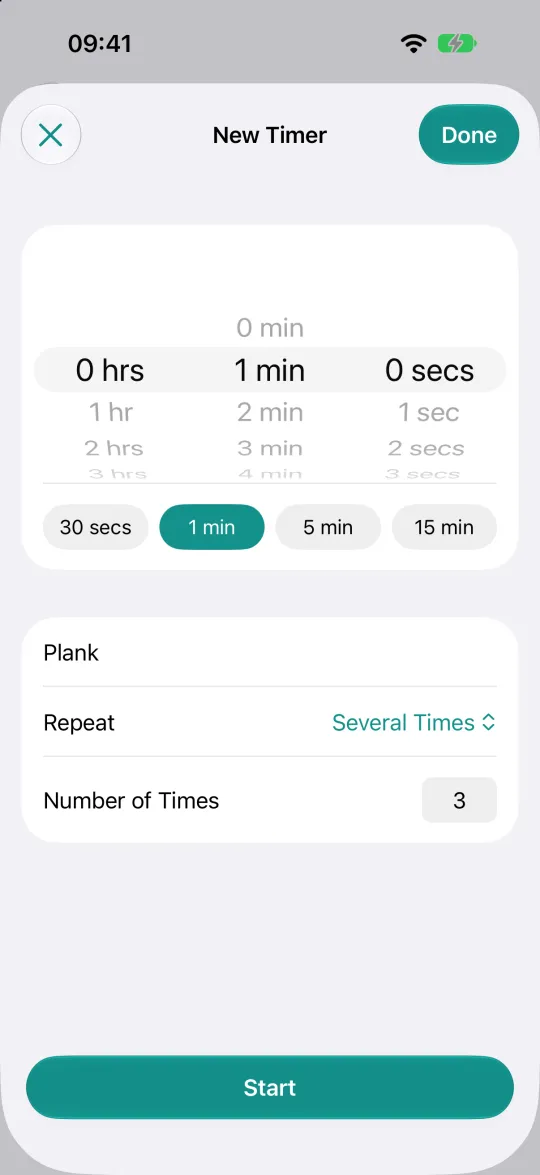
- Tap Add Timer, set the time or tap a preset (30 secs, 1 min, 5 min, 15 min).
- Add a title and choose Repeat: Once, Several Times, Until a Time or Until Stopped.
- Tap Start to run it now, or Done to save it for later.
On iPhone with iOS 26 or newer, timers ring like the Clock app and show the countdown on the Lock Screen.
Ideas
- Workout intervals: Warm-up, 45 seconds, 6 times.
- Pomodoro: Focus, 25 minutes, once. Start it every time you sit down to work.
- Hydration: Drink water, 1 hour, until stopped or until 18:00.
- Kitchen: Pasta 9 minutes and Sauce 20 minutes, running side by side.
FAQ
Can I pause a timer?
Yes. A running timer has Pause and Stop buttons right in the list.
Does a timer ring if the app is closed?
Yes. The alarm is scheduled with the system, so you can lock the phone or switch apps.
Do Do Not Disturb rules silence timers?
No. Remindio's Do Not Disturb rules apply to reminders, not to timers you start yourself.
Related guides
Try Remindio for free
Free on Android and iPhone. No account needed.