How to set a reminder several times a day
Vitamins three times a day, a glass of water every two hours, a stretch every hour at the desk. You could create a separate reminder for every time, but then you have to change all of them when the plan changes. In Remindio it's one reminder with a repeat during the day.
Short answer. In Remindio, tap Repeat and pick a ready repeat under During the day: 3 times a day, Twice a day, Every 2 hours or Every hour. To fine-tune it, change From, To, Every and Times.
On Android
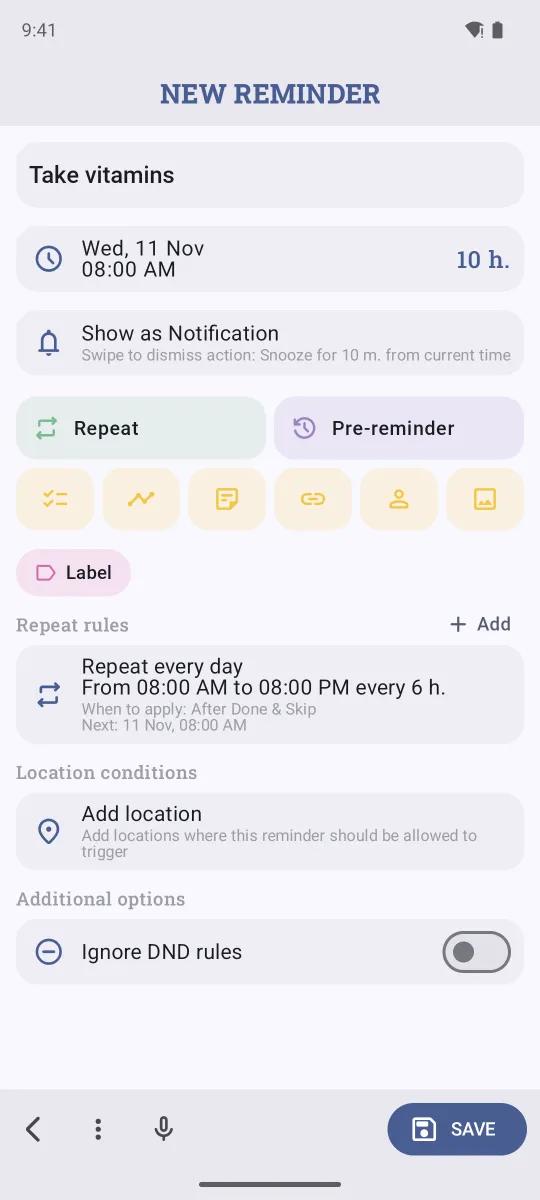
- Tap Add and type the reminder, for example Take vitamins.
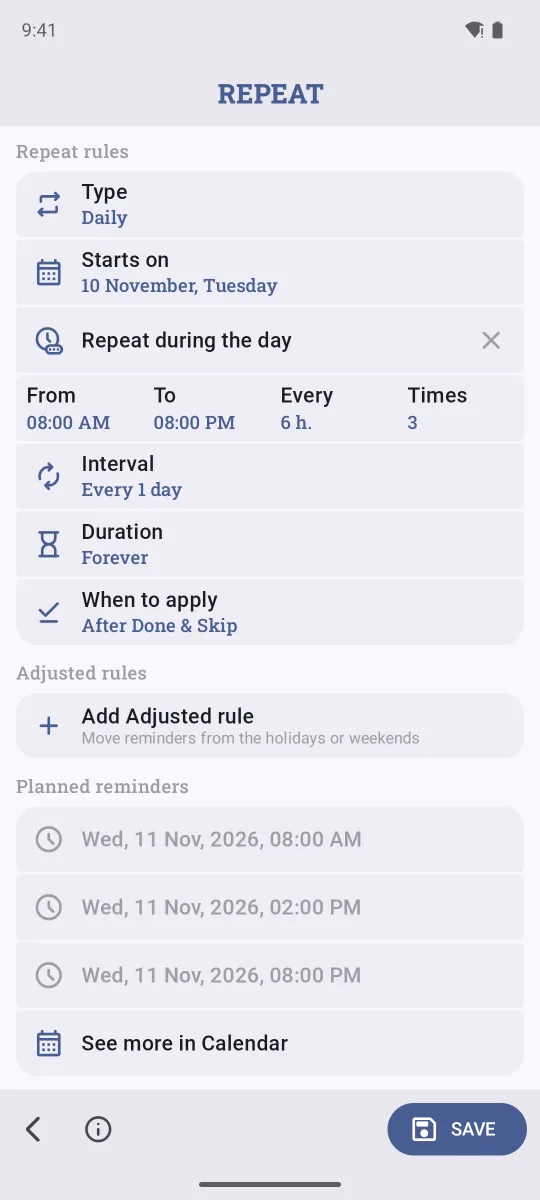
- Tap Repeat. Under During the day, pick 3 times a day (8:00, 14:00 and 20:00), Every 2 hours (9:00 to 21:00), Every hour or Twice a day.
- Adjust From, To, Every or Times if you need to, check Planned reminders, and tap Save.
On iPhone
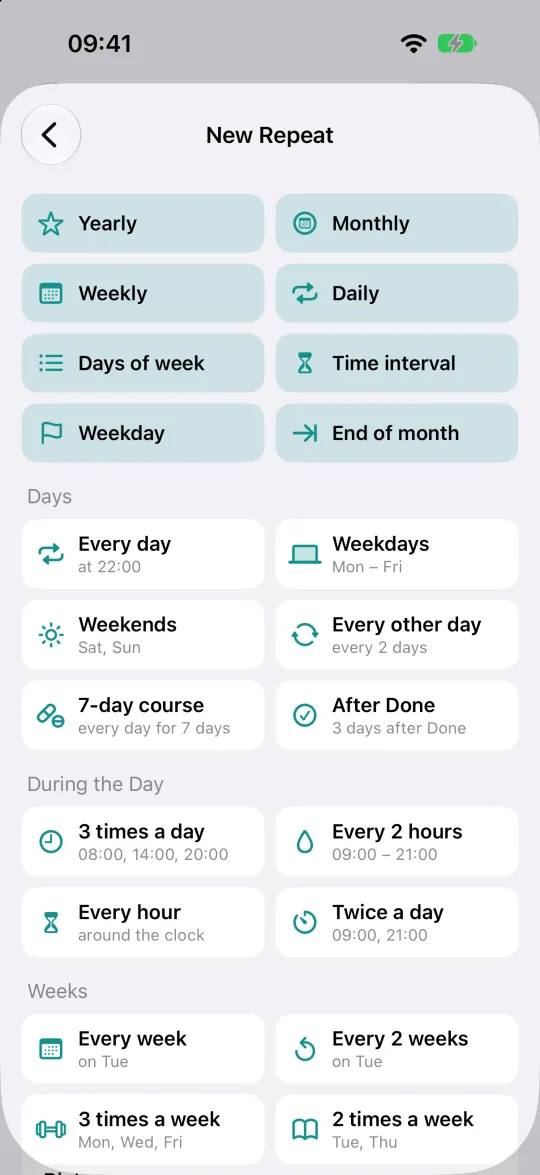
- In a new reminder, tap Repeat.
- Pick a ready repeat under During the Day.
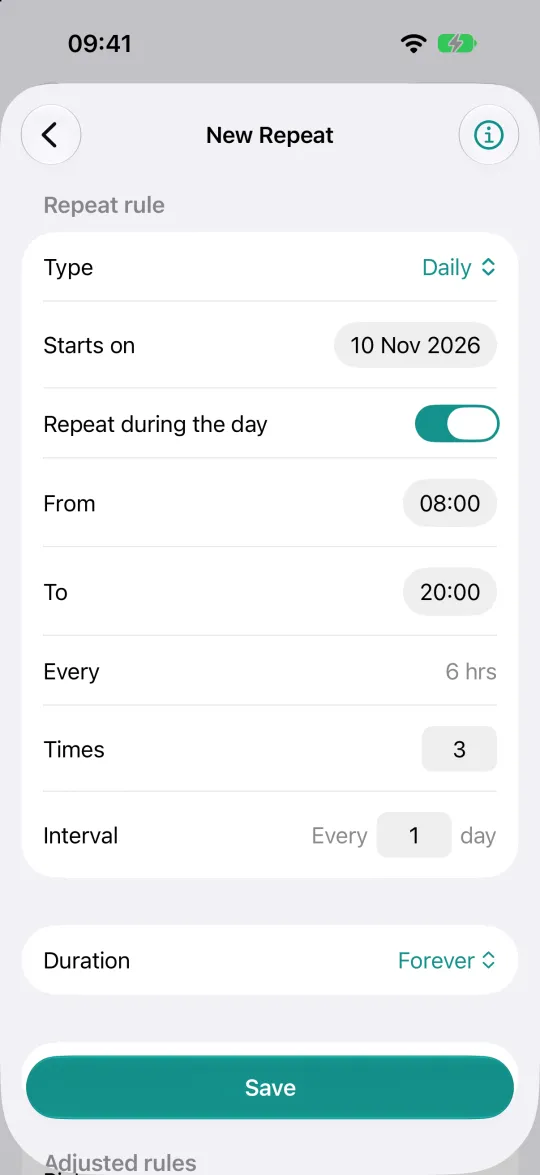
- The Repeat during the day switch is on. Set From, To and Times, and tap Save.
Your own times
Repeat during the day works with Daily and Days of week repeats. Some examples:
- Water every 2 hours on workdays: Days of week Monday to Friday, from 9:00 to 18:00, every 2 hours.
- Twice a day for a week: Daily with two times a day, and Duration set to end after 7 days.
- Hourly stretch break: Every hour, limited from 10:00 to 17:00.
Each time comes as its own alert with Done, Skip and Snooze. To keep a log, add a Tracker to the reminder and see your streaks and stats.
FAQ
If I mark the 8:00 one Done, do I still get the 14:00 one?
Yes. Each time of the day is its own occurrence, so Done moves you on to the next one.
Can the times be uneven, like 7:30, 13:00 and 22:00?
Yes: add several repeat rules to one reminder, one for each time. Several rules per reminder are a Premium feature.
Can Google Calendar or Apple Reminders do this?
Not in one item. You'd create a separate event or reminder for each time of day and keep them in sync yourself.
Related guides
Try Remindio for free
Free on Android and iPhone. No account needed.