How to get a reminder when you arrive or leave a place
Some things don't belong to a time, they belong to a place. Buy bread when you're near the shop. Take the parcel when you leave home. Call someone when you get to the park. A location reminder fires when you cross the edge of a place, whatever the time.
Short answer. In Remindio, start a new reminder and tap Location reminder. Search for the place or pick it on the map, set the radius and choose whether to be reminded on arrival, on leaving or both. Allow location access all the time, so the reminder works with the app closed.
On Android
- Tap Add, then Location reminder.
- Type a place or an address in the search field, or tap Choose on map.
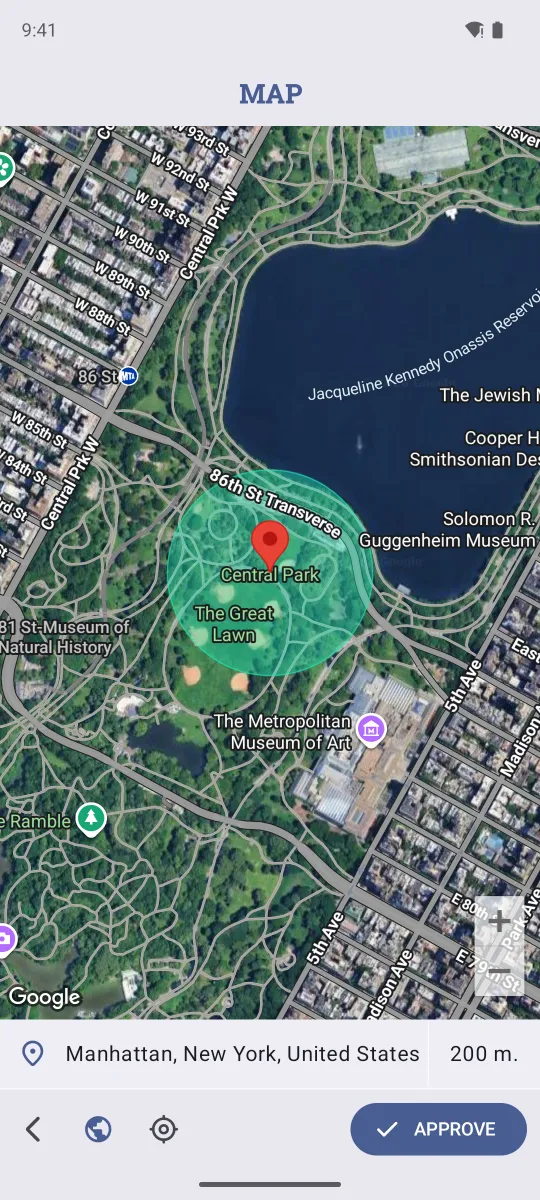
- Check the circle on the map. Tap the radius (200 m by default) to make it bigger or smaller, then tap Approve.
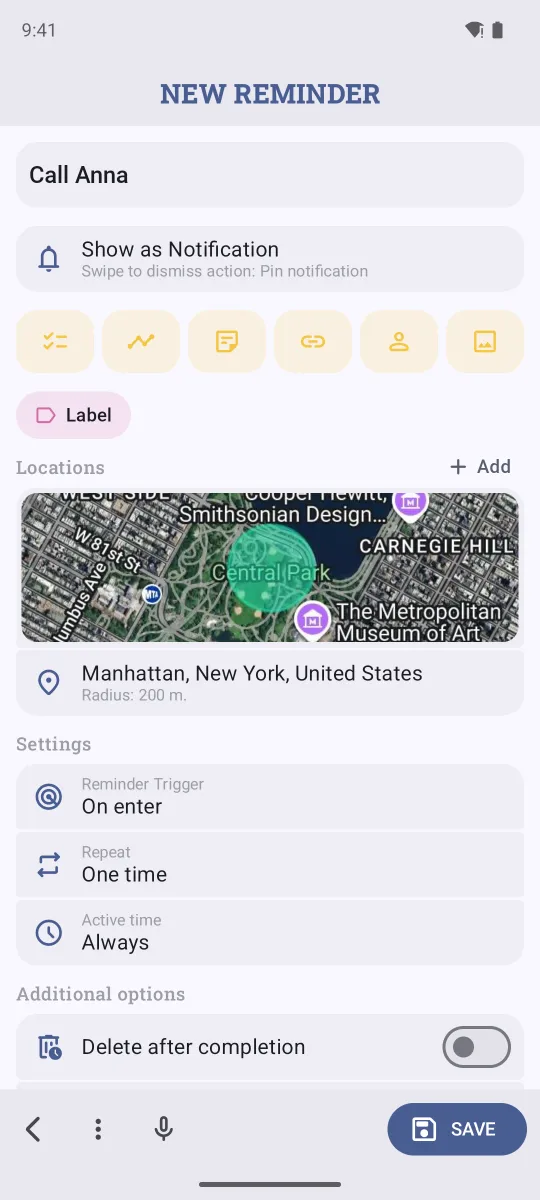
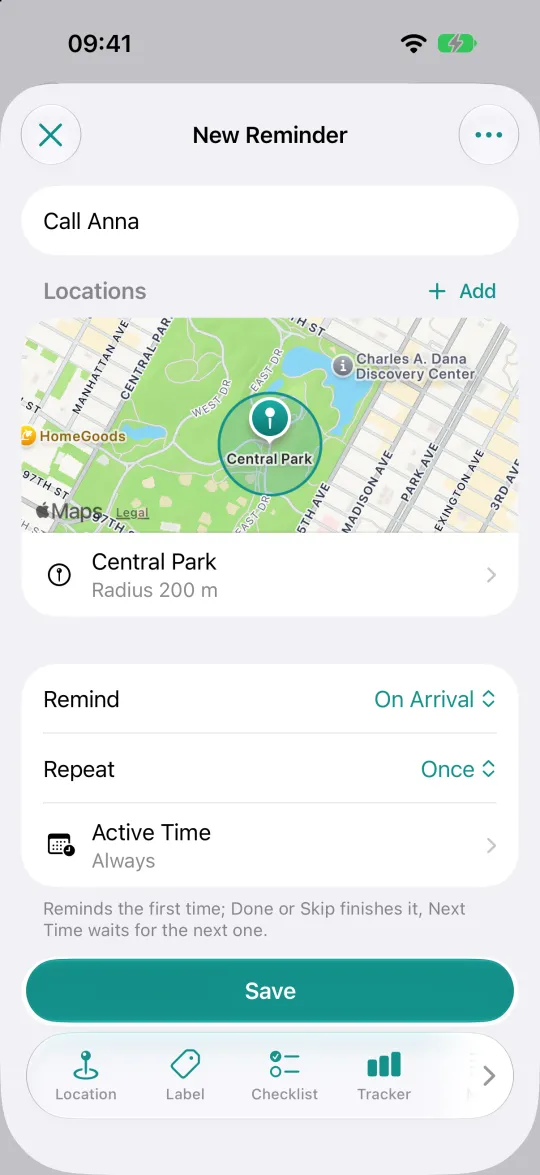
- Type what to remind you about, for example Call Anna.
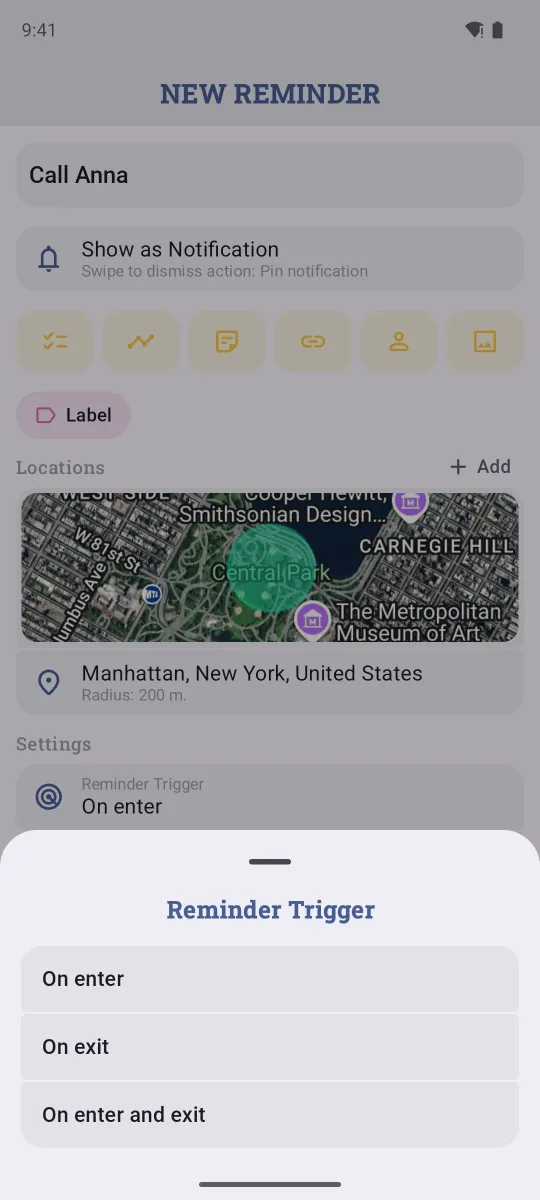
- Under Settings, choose the Reminder Trigger, Repeat and Active time (see below), then tap Save.
Android also has Bluetooth reminders: they fire when your car or headphones connect or disconnect, which is handy for "when I get in the car".
On iPhone
- Tap +, then Location Reminder. Or open the Locations tab and tap +.
- Search for a place, use Current Location, tap Choose on Map, or pick one of your Saved Places.
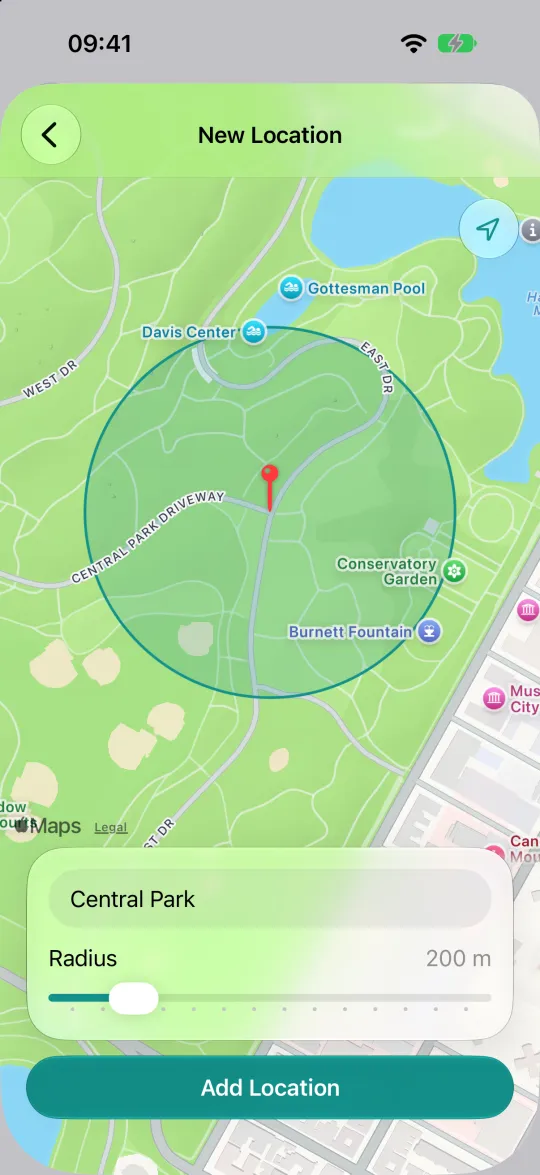
- Drag the Radius slider and tap Add Location.
- Type the reminder, choose Remind (On Arrival, On Leaving, or both) and tap Save.
Arrive, leave, repeat
- Trigger. On arrival for "buy bread at the shop", on leaving for "lock the office", both for things like "check in and check out".
- Repeat. Once fires the first time and is done. Switch it to repeat for things that come back, like "take the gym bag" every time you leave home.
- Active time. Limit the reminder to certain hours or days, so "buy bread" doesn't pop up when you pass the shop at midnight.
- Several places. Tap Add next to Locations to use more than one place, for example any of two supermarkets.
Make it reliable
- Allow location access all the time. With "only while using the app", the phone can't tell Remindio that you've arrived.
- Use a radius of at least 100–200 m. Phones don't check your location every second to save battery, so a tiny circle is easy to miss.
- On Android, turn off battery restrictions for Remindio. See how to fix late notifications.
Location reminders are a little less precise than time reminders: the phone checks your position now and then, so an alert can come a minute or two after you arrive.
FAQ
Do location reminders drain the battery?
Remindio uses the system's geofencing, which is built to save battery: the phone checks your position now and then instead of tracking it all the time.
Can Apple Reminders do this?
Yes, Apple Reminders can remind you when arriving or leaving. Remindio adds active hours, several places per reminder, repeating location reminders and alarms, and it works the same way on Android.
Is it free?
Location reminders are part of Remindio Premium. You can try Premium for free, or get a day of it by watching one ad.
Related guides
Try Remindio for free
Free on Android and iPhone. No account needed.