Reminders that keep nagging until you're done
A notification arrives while you're busy, you glance at it, and an hour later it's buried under twenty others. For the things that matter, one alert isn't enough. Remindio can notify you again, or switch to an alarm, when a reminder is ignored, and keep going until you answer it.
Short answer. In Remindio, open the reminder's alert settings (Show as Notification on Android, Notification on iPhone). Set Auto action or If Ignored to Notify again, and choose how often. Or pick Convert to alarm / Ring Alarm to make it ring.
On Android
- In the reminder, tap Show as Notification.
- Tap Auto action. It runs when the notification is ignored for a while. Pick one:
- Notify again: show the notification again.
- Convert to alarm: start ringing.
- Snooze, Done or Skip: handle it for you.
- Set Delay before auto action, for example 10 minutes, and tap Save.
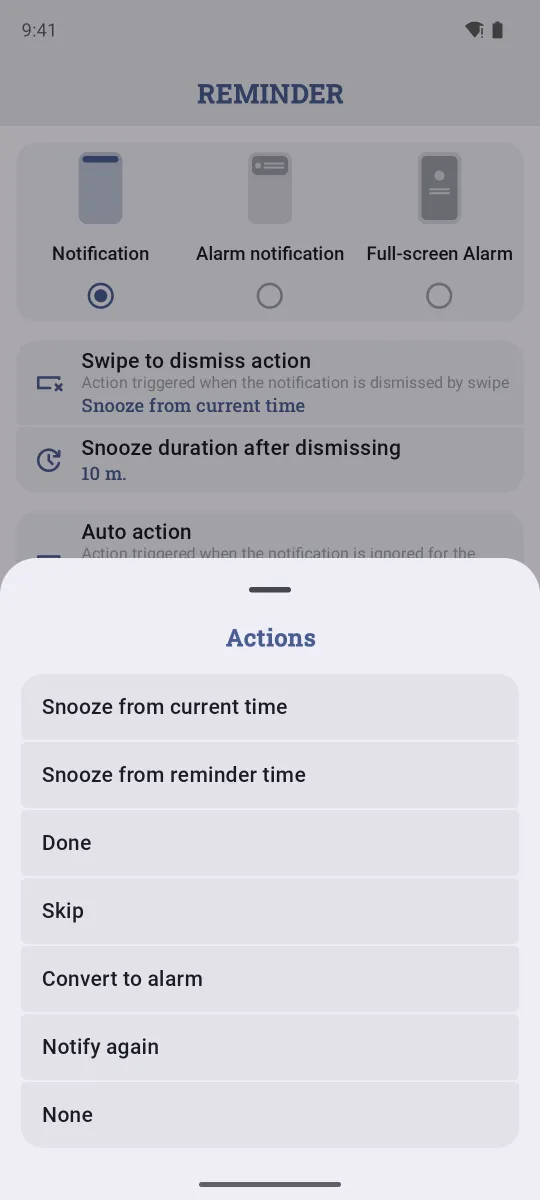
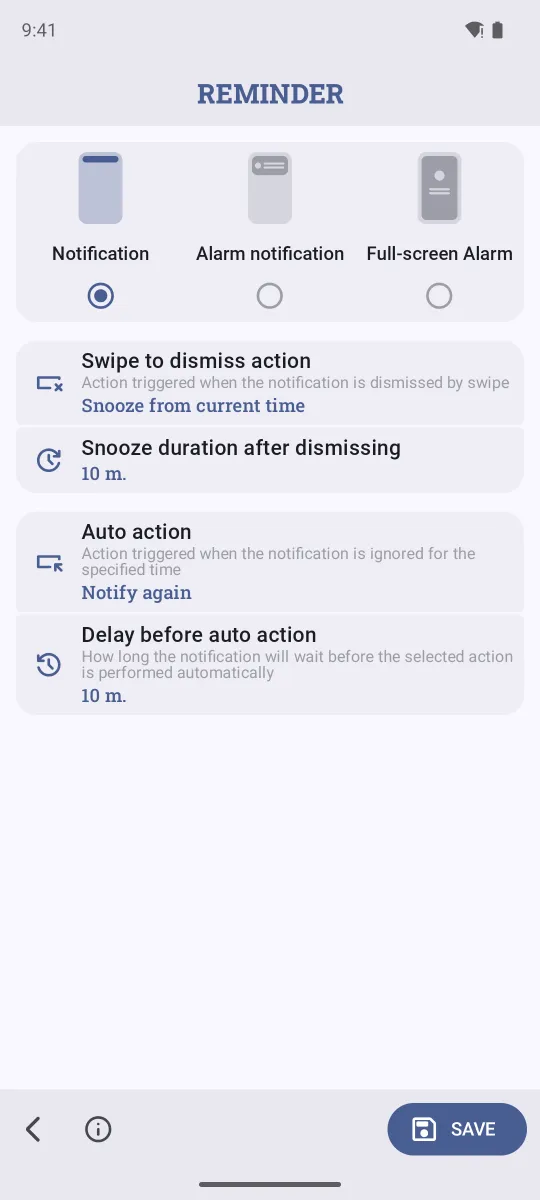
On the same screen, Swipe to dismiss action decides what happens when you swipe the notification away: by default it's a snooze, so a swipe never loses the reminder.
On iPhone
- In the reminder, tap Notification.
- Set If Ignored to Notify Again, then choose Every (for example, 10 min) and Times (for example, 3 times). Or choose Ring Alarm.
- Turn on Time Sensitive so the reminder comes through even when a Focus like Do Not Disturb is on. Tap Save.
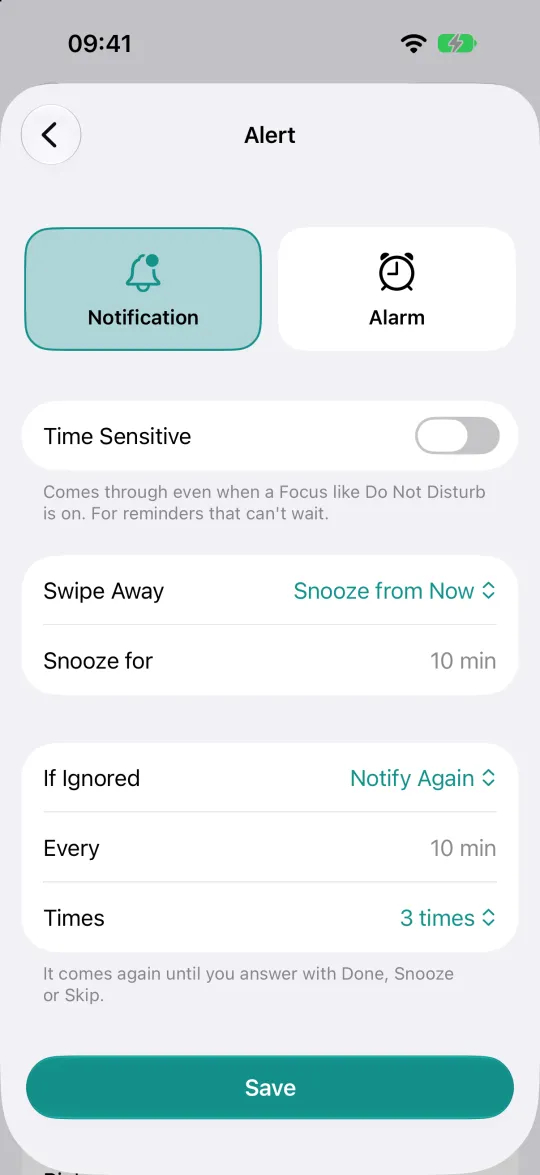
Answering means tapping Done, Snooze or Skip on the notification. You can do that right from the lock screen, without opening the app.
Make it the default
If you want every new reminder to nag, set it once in Settings → Default Reminder Settings. New reminders start with your choice, and you can still change it on any single reminder.
FAQ
What's the difference between snooze and notify again?
Snooze is something you choose: "remind me in 10 minutes". Notify again happens on its own when you don't react at all.
Will an alarm keep ringing forever?
No. On Android, an alarm rings for a set time (30 seconds by default) and then snoozes itself, so a forgotten phone doesn't ring all day. You choose both the delay and the snooze time.
Can Apple Reminders or Google Tasks do this?
No. They send one notification per reminder. If you miss it, it stays in the notification list until you look.
Related guides
Try Remindio for free
Free on Android and iPhone. No account needed.