How to silence reminders at night or during work
A "drink water" reminder at 2 a.m. or a ringing alarm in the middle of a meeting is how reminder apps get uninstalled. Remindio has its own Do Not Disturb rules: set the hours when reminders should stay quiet, and decide what happens to the ones that fall inside them.
Short answer. In Remindio, tap the Do Not Disturb button at the top of the home screen and add a rule. Set its Active time (for example, 22:00 to 07:00), pick a Behaviour (skip reminders, or show alarms only as notifications), and optionally limit it to certain labels.
On Android
- On the home screen, tap the Do Not Disturb icon in the top right corner, then Add.
- Give the rule a name in Description, for example Night.
- Choose the Behaviour: Skip reminders or Show as Notification only.
- Tap Active time, then Add. Pick the days and set From and To, for example 10:00 PM to 07:00 AM.
- Turn the rule on under Status and tap Save.
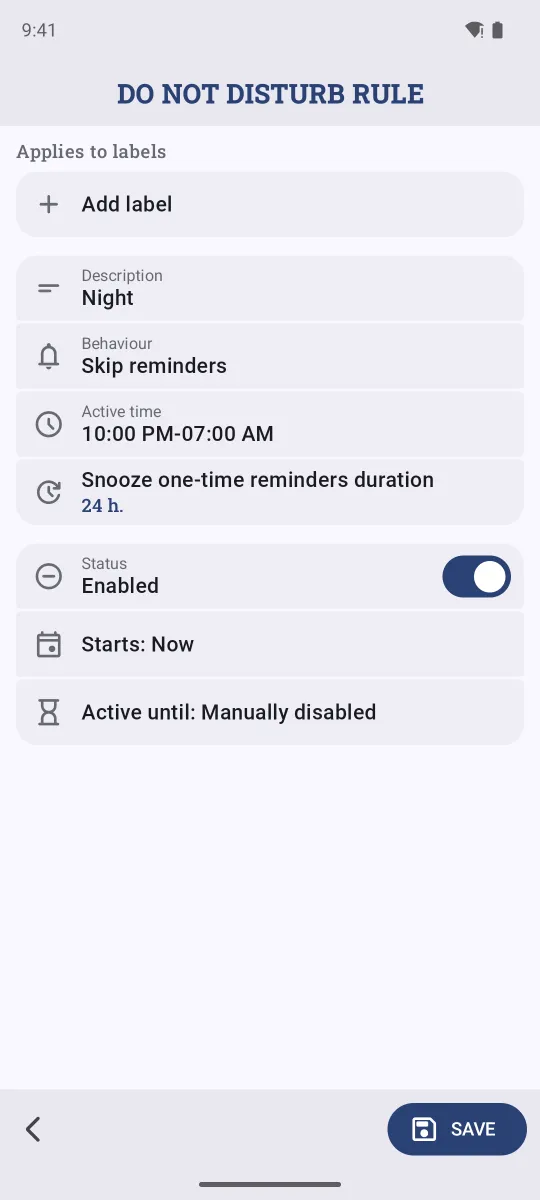
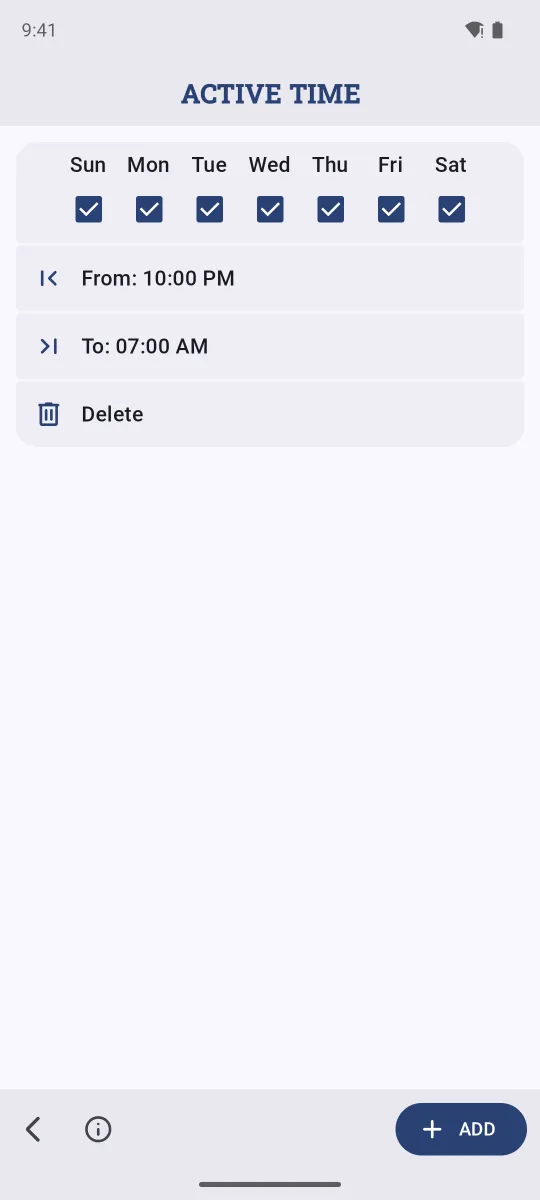
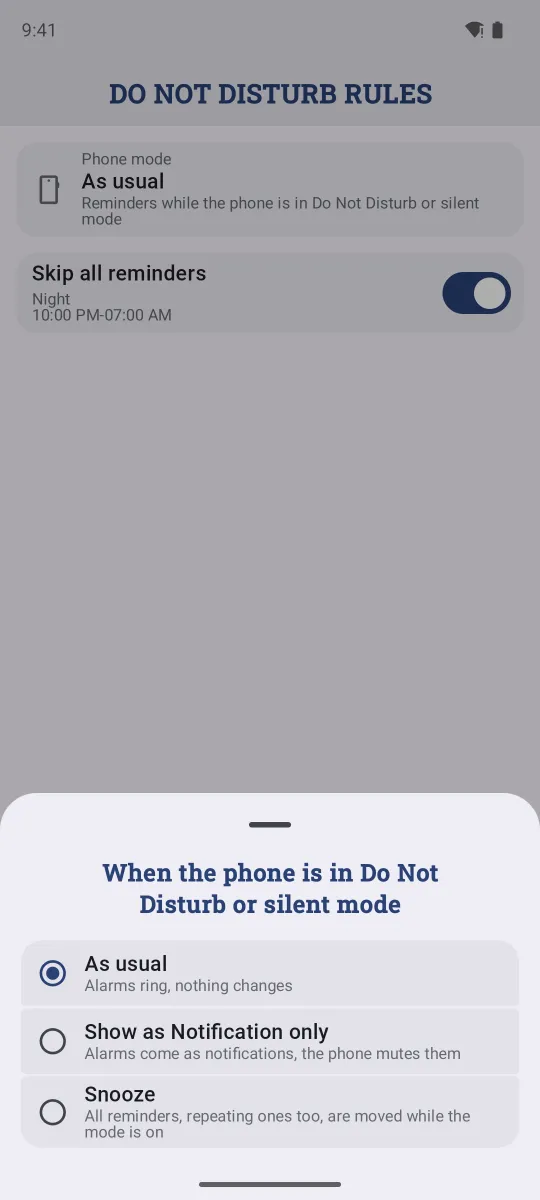
Android also has a Phone mode at the top of the rules list. It decides what Remindio does while the phone itself is in Do Not Disturb or silent mode: alarms ring as usual, come as notifications only, or all reminders are snoozed until the mode ends.
On iPhone
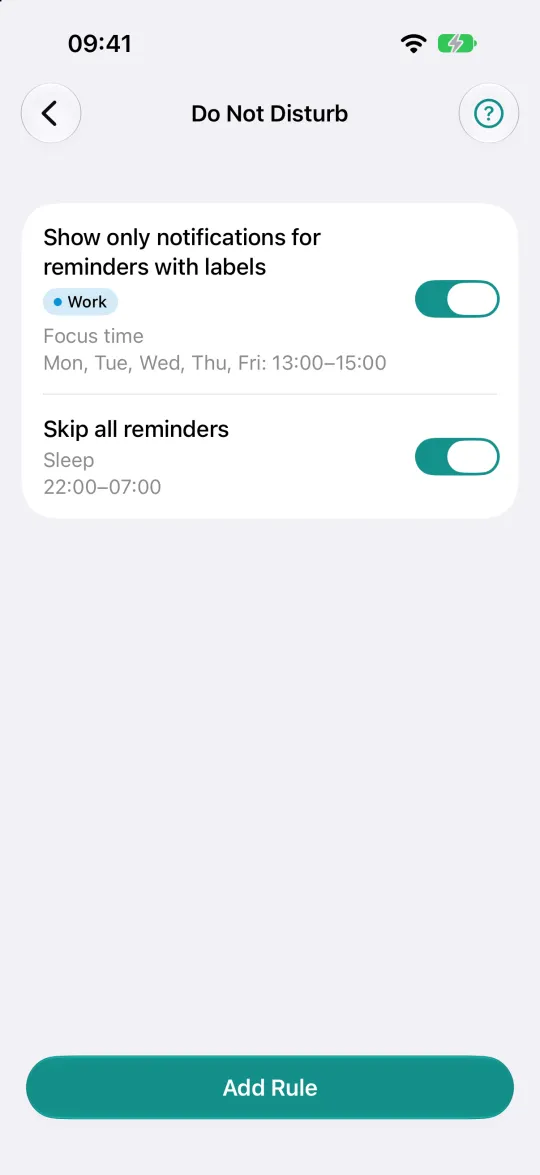
- Tap the moon button at the top of the home screen.
- Tap Add Rule.
- Choose Labels (or leave All reminders), the Behaviour and the Active time, give it a name, and tap Save.
- Turn rules on and off right from the list with their switches.
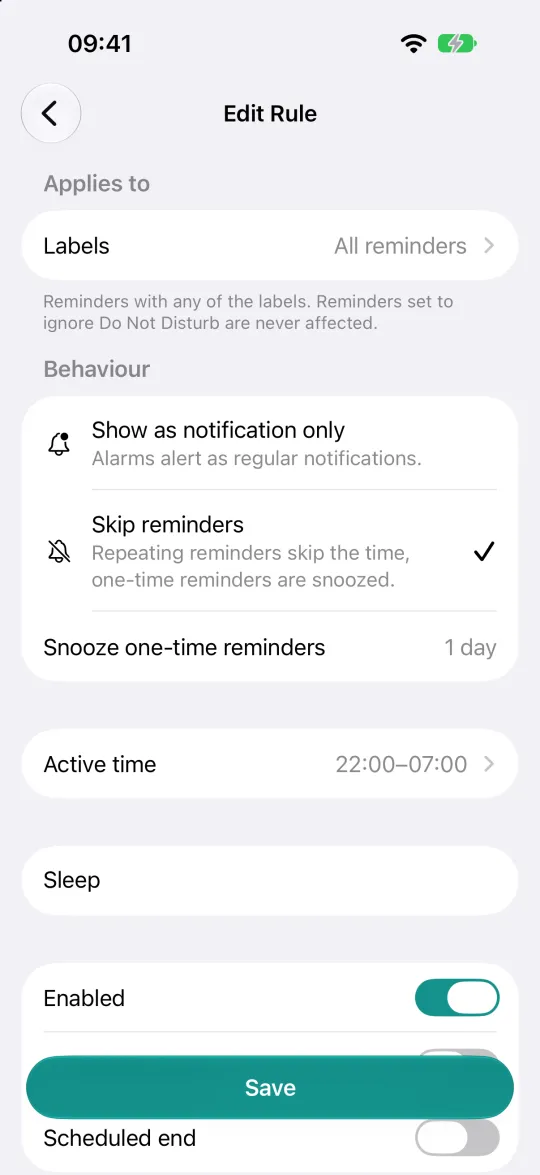
Skip or notify?
- Skip reminders. Repeating reminders skip that time and wait for the next one. One-time reminders are snoozed (by 1 day by default), so nothing is lost.
- Show as notification only. Reminders still come, but alarms don't ring: they arrive as normal notifications. Good for meetings, where you still want to see what's due.
A reminder that must always get through, like a medicine alarm, can ignore all rules: turn on Ignore DND rules (Ignore Do Not Disturb on iPhone) in that reminder.
Examples
- Sleep: every day, 22:00–07:00, skip reminders.
- Focus time: weekdays 13:00–15:00, only reminders with the Work label, show as notification only.
- Weekend: Saturday and Sunday all day, only Work reminders, skip.
- Vacation: any rule with a scheduled end, so it turns itself off when you're back.
FAQ
Isn't the phone's own Do Not Disturb enough?
It silences everything at once. Remindio's rules are for reminders only, can apply to some labels and not others, and decide whether a reminder is skipped or delivered quietly.
Can a rule turn itself off?
Yes. Set an end date for the rule (Active until on Android, Scheduled end on iPhone).
Do the rules affect timers?
No. Timers you start yourself always ring.
Related guides
Try Remindio for free
Free on Android and iPhone. No account needed.