Repeating reminders that skip weekends and holidays
Rent is due on the 10th, but when the 10th is a Sunday, the bank won't process it until Monday. Payroll, reports, invoices and school pickups all have the same problem: the date repeats, but weekends and holidays get in the way. Remindio handles this with adjusted rules: tell it which days to avoid and where to move the reminder.
Short answer. In Remindio, open the reminder's Repeat settings and tap Add Adjusted rule. Pick the days to avoid (Saturday and Sunday, or public holidays) and choose Move to: previous day, next day, or skip. The Planned reminders list shows the moved dates right away.
On Android
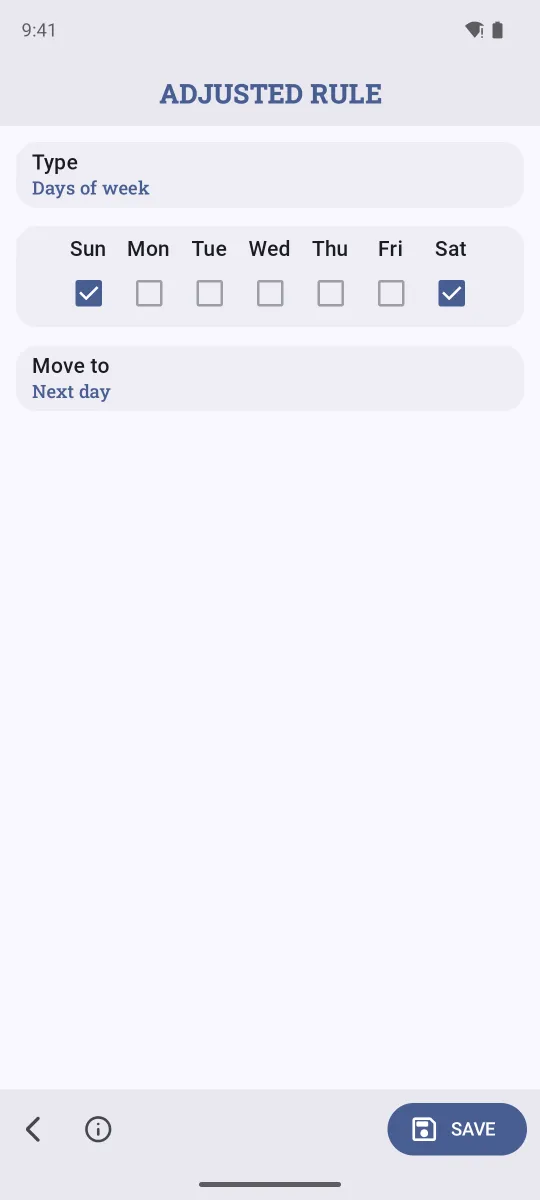
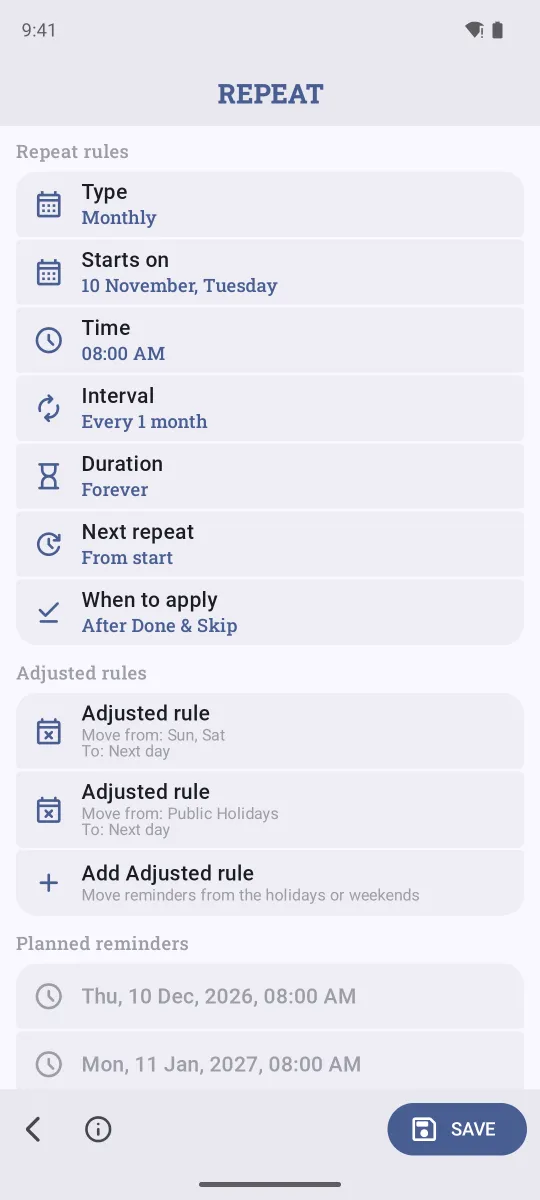
- Create the reminder (for example, Pay rent), tap Repeat and choose how it repeats, for example Monthly.
- Under Adjusted rules, tap Add Adjusted rule.
- Keep Type as Days of week and tick Sat and Sun.
- Set Move to: Previous day (pay before the weekend), Next day (pay on Monday), or Skip (don't remind this time). Tap Save.
On iPhone
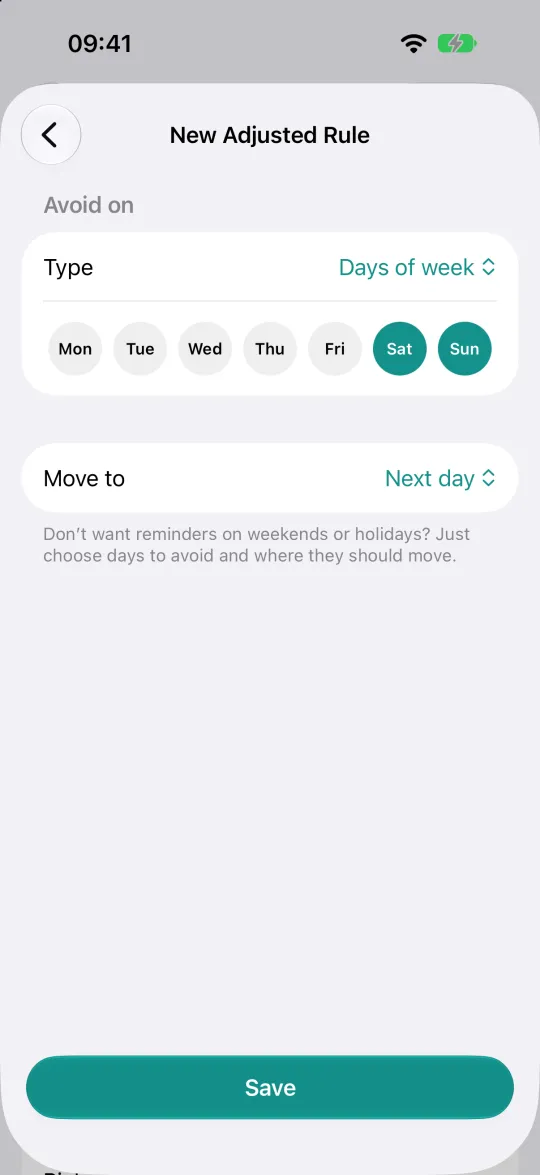
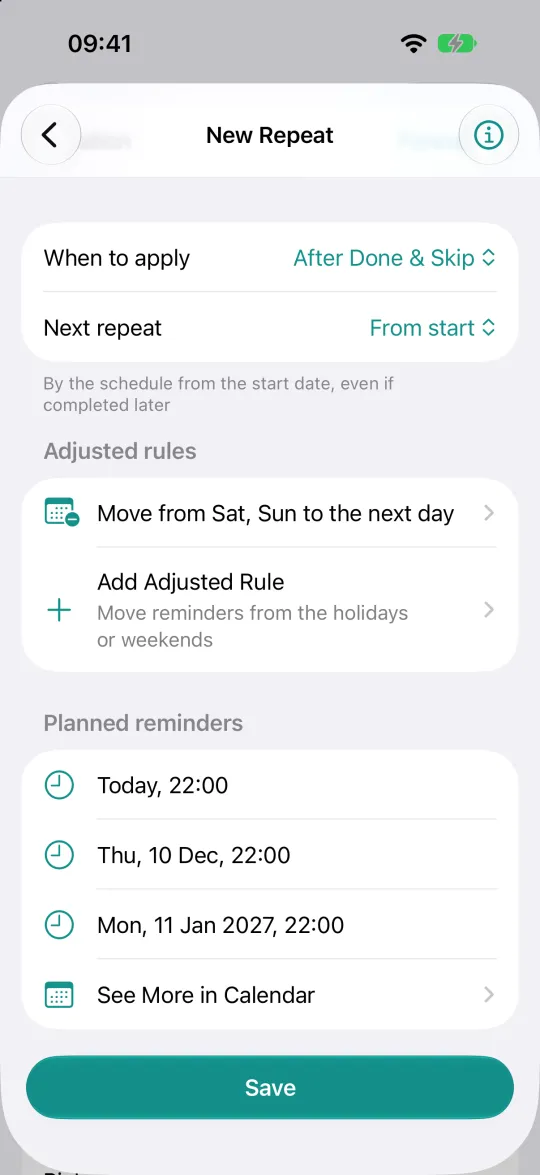
- In the reminder, tap Repeat and pick a type, for example Monthly.
- Tap Add Adjusted Rule. Saturday and Sunday are already selected under Avoid on.
- Choose Move to: Previous day, Next day or Skip, and tap Save.
Public holidays
Add a second adjusted rule with the type Public Holidays to move reminders off official holidays too. Remindio detects your country and loads its holidays. You can change the country, and add your own dates to the list, like a family birthday or a company day off. The list is shared by all your reminders.
Other rule types cover more cases: Day of month (for example, never on the 31st) and Day of year (never on 25 December).
FAQ
What if the next day is also a day to avoid?
Remindio keeps moving until it finds an allowed day. A Saturday reminder with "next day" lands on Monday, not Sunday.
Can Google Calendar or Apple Reminders do this?
They can repeat on weekdays only, but they can't move a monthly date off a weekend or a holiday. You'd have to fix each one by hand.
Does it work with every repeat type?
Yes: daily, weekly, monthly, yearly and the rest. Add as many adjusted rules as you need.
Related guides
Try Remindio for free
Free on Android and iPhone. No account needed.